
Desktop publishing studio for Facebook Pages

Schedule more.
Repeat less.

Import videos in bulk, pair captions, check existing Meta schedule slots and publish Facebook Reels from one focused desktop workspace.

No card required for trial Direct Facebook Page connection Windows desktop application
INX Social app icon
Publishing status Ready
Next available slot Today · 10:15 PM
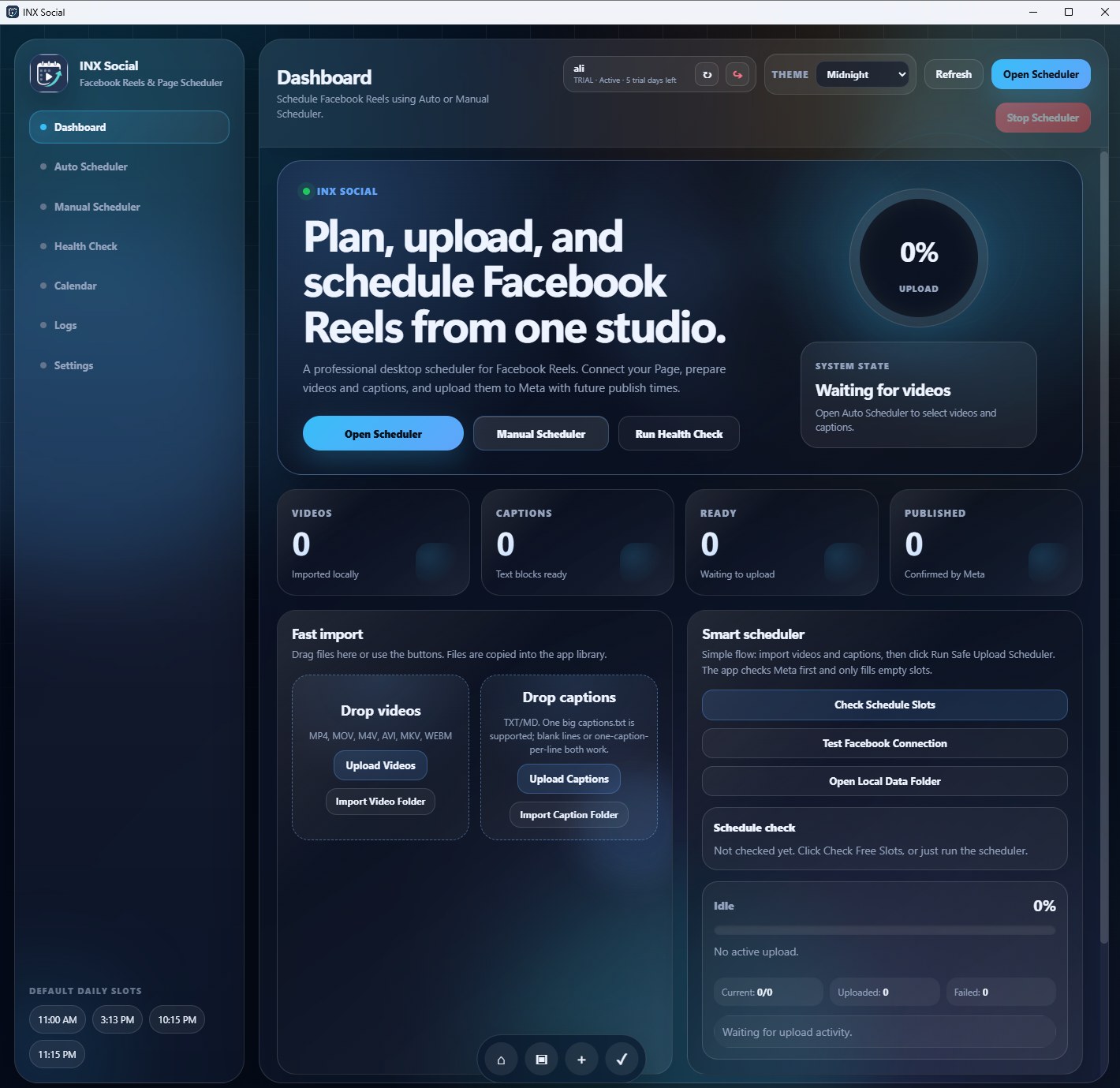
INX Social Desktop — Live product interface Product preview
INX Social desktop dashboard showing Facebook Reels scheduling controls
Bulkvideo and caption import
Smartschedule-slot checking
Liveupload progress and logs
DirectFacebook Page connection
Built for real publishing workflows

One studio from content import to confirmed Meta schedule

Every key step is visible, controllable and designed to reduce repetitive scheduling work.

Fast import

Bring in a complete content batch

Drag in videos, import a full folder and add captions from a single text file. INX Social keeps the content queue organised for processing.

MP4MOVTXT Drop files here or browse your computer
Slot intelligence

Find the next real opening

Check existing Page activity first and avoid assigning a new post to a configured slot that is already occupied.

Live operations

See every upload move

Follow percentage progress, the active item, uploaded count and any failures from the dashboard.

Calendar control

Understand the publishing queue

Review planned, scheduled and published activity without switching between multiple tools.

Protection

Reduce accidental duplicates

File checks and Meta schedule verification provide safeguards before the next batch runs.

A clearer way to publish

Three steps. One visible workflow.

INX Social keeps the process simple enough for daily use while exposing the status information needed for high-volume operation.

01

Connect your authorised Facebook Page

Use the built-in connection flow and select a Page you are permitted to manage.

02

Import videos and captions

Add a batch, review the pairing and prepare the publishing schedule.

03

Run the safe scheduler

Check occupied slots, upload sequentially and monitor the results live.

Simple monthly plans

Choose the capacity that fits your Page operation

Every verified account begins with a five-day trial before choosing a paid plan.

Starter
£9.99 / month

For creators and growing teams managing a regular publishing queue.

  • Up to 100 posts or videos per batch
  • Manage up to 10 Facebook Pages
  • 1 authorised device
  • Smart scheduling and duplicate safeguards
  • Customer portal and product updates
Start with Starter
Pro
£15.99 / month

For high-volume creators, agencies and multi-Page publishing operations.

  • Unlimited posts or videos per batch
  • Manage up to 50 Facebook Pages
  • Up to 3 authorised devices
  • Full scheduling, calendar and activity tools
  • Priority access to product releases
Start with Pro
Responsible platform access

Authorised access. Clear purpose. User control.

INX Social uses connected Meta data only for Page selection, connection status, schedule checking and publishing actions requested by the customer.

No sale of Platform Data No unauthorised Page access Published data deletion process Account and device controls
Questions

What users need to know before starting

Account verification, Page connection and desktop access all work through the same INX Social customer account.

Create an account →

INX Social sends an email verification link. The five-day trial starts after the email address is verified.

No. The application uses its direct Facebook Page connection flow for authorised users.

Yes. The verified customer account is shared across the customer portal, licence system and INX Social desktop application.

Verified customers can access the latest approved installer and release information from the customer portal.

Start publishing with structure

Turn a folder of videos into an organised Facebook schedule.